
Practice management
Run your whole practice from one place.
ManageFlow brings appointments, client records, staff schedules, your service catalogue, stock and invoicing into one workspace your team signs in to every morning.
Set up by our team, for spas, clinics, studios and salons. No card, no trial to configure yourself.
What it does
Everything the front desk and the back office both need.
Nine areas of the same workspace, so nobody keeps a second spreadsheet to make the first one work.
Appointment calendar
Book services, classes and events on one calendar, with recurring series, rooms and per therapist availability.
Client records
One record per client: contact details, visit history, notes, consents and progress sessions with photos.
Staff and schedules
Working hours, time off and shift patterns per team member, with roles that decide who sees what.
Service catalogue
Services, durations, add-ons and multi session packages, priced once and reused wherever they are booked.
Invoicing and finance
Invoices, payments, budgets and commission rules, with the day's takings visible without a spreadsheet.
Stock and supplies
Track what a treatment consumes, what is running low, and which supplier to reorder it from.
Waitlist
Hold clients in an ordered queue and offer a freed slot to the next in line instead of ringing round.
Team chat and calls
Spaces, direct messages and voice or video calls between colleagues, inside the same workspace.
Reports
Revenue, occupancy, staff performance and client retention, exportable when somebody asks for the numbers.
Getting started
How you get started.
There is no sign-up form to fill in and no card to enter. Three steps, and a person on our side at each one.
Tell us about your business
Write to the sales team with your team size, how many locations you run and how you work today. A short call is usually enough.
We set up your workspace
We create the workspace, load your services and your staff, and configure roles so each person sees only what their job needs.
Your team signs in
Everyone receives an invitation by email, sets their own password, and starts on their own schedule the same day.
The product
See it in action
Every image below is a screenshot of the running product, taken from a sample workspace. No mock-ups, no invented numbers.
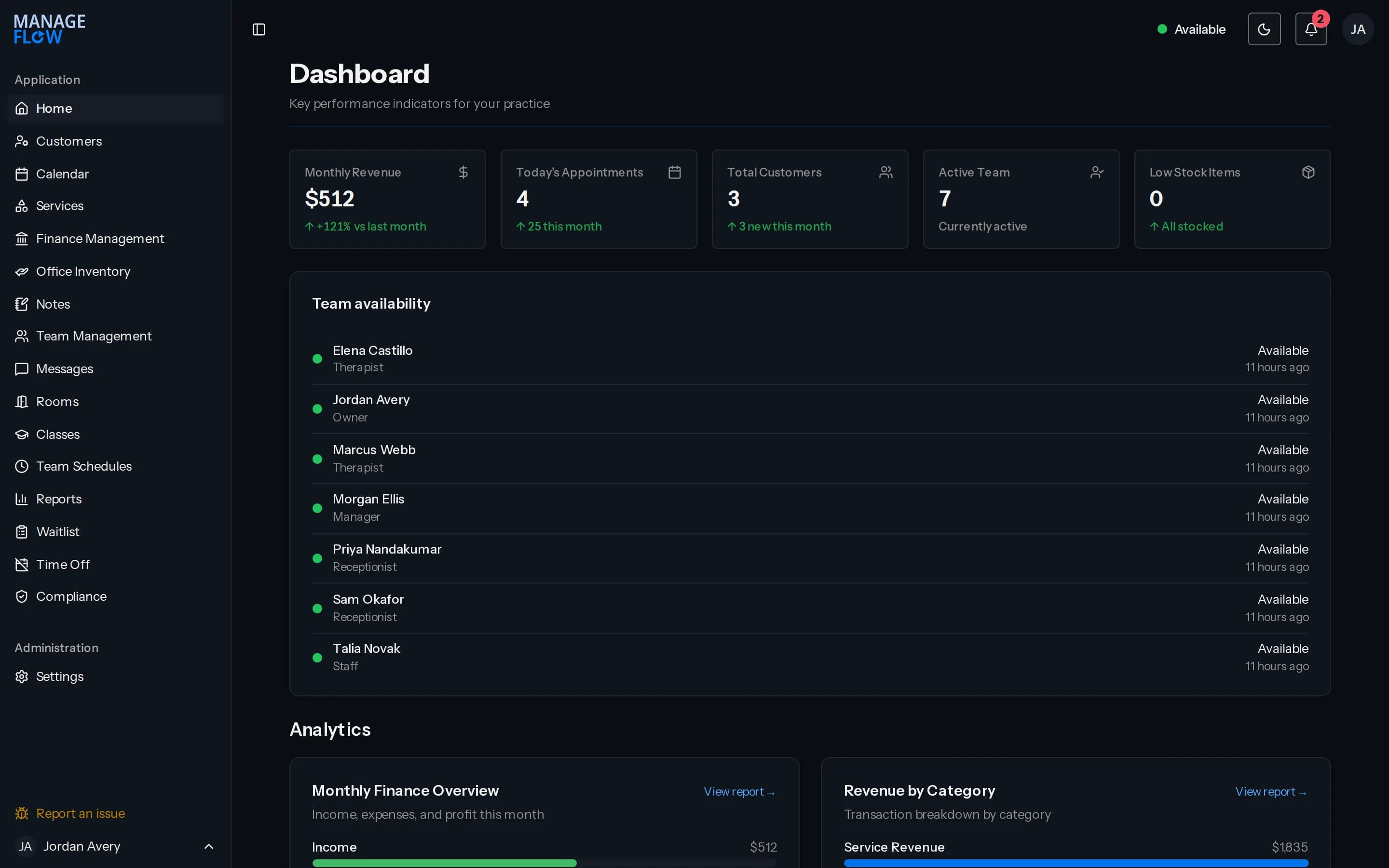
Dashboard
The morning number, first thing
Revenue, appointments and new clients for the month, who is available today, and low stock, on the page the team lands on when they sign in.
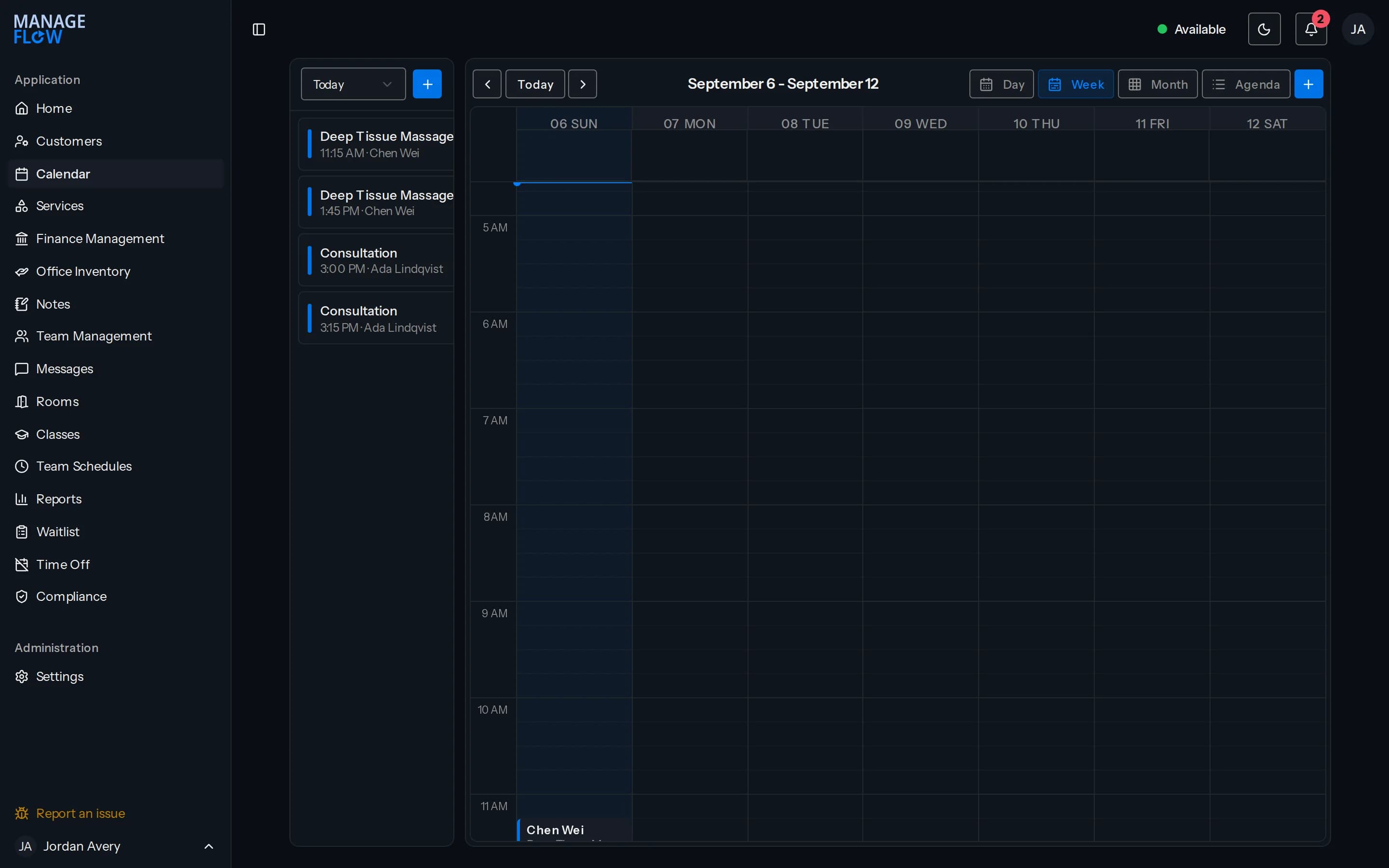
Calendar
The week at a glance
Every appointment, every therapist and every room in one grid. Today is highlighted, the day list sits beside it, and switching to day, month or agenda is one click.
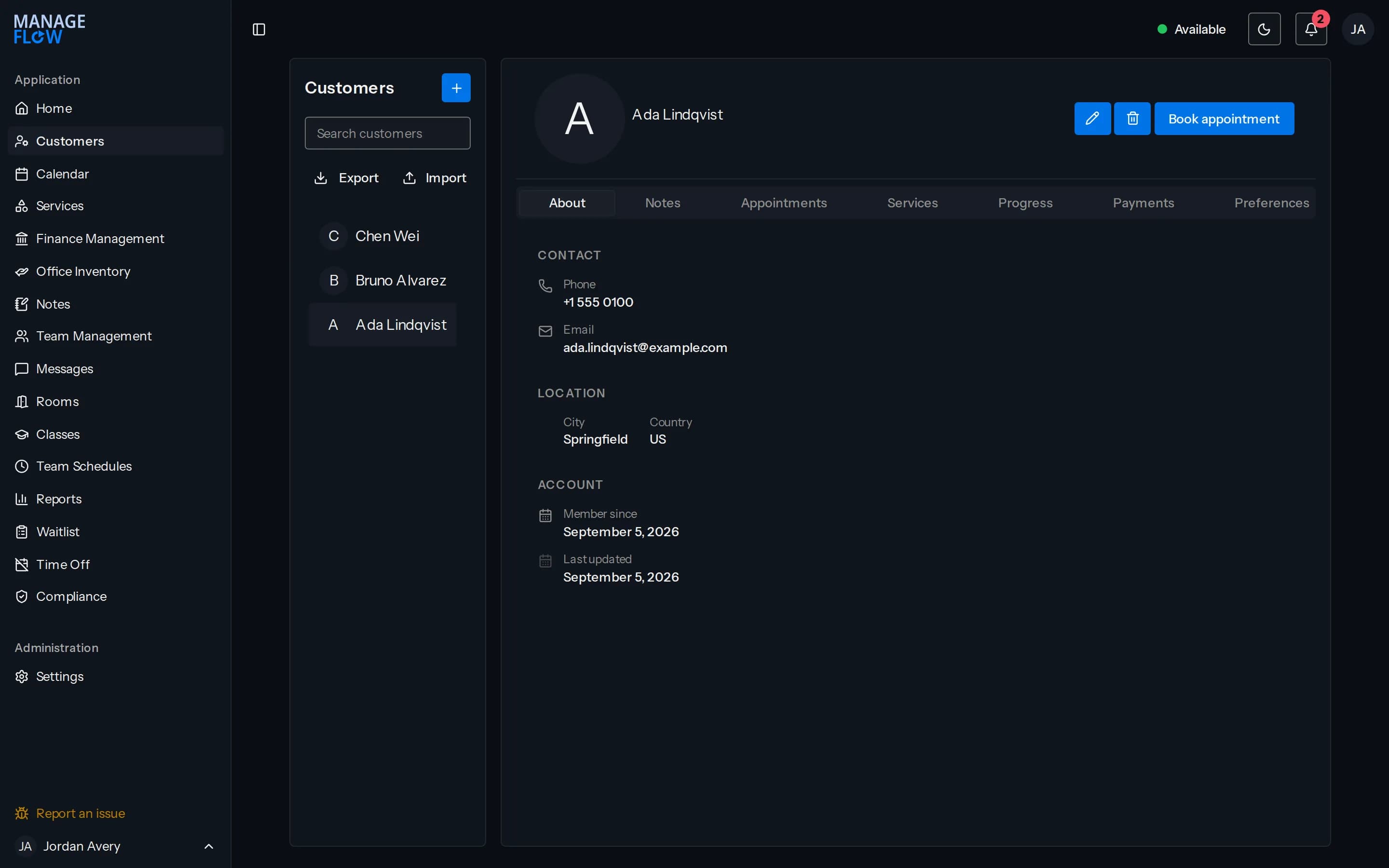
Client records
Everything about one client on one page
Contact details, notes, appointment history, packages, payments and preferences behind tabs on a single record, so nobody has to ask a returning client the same question twice.
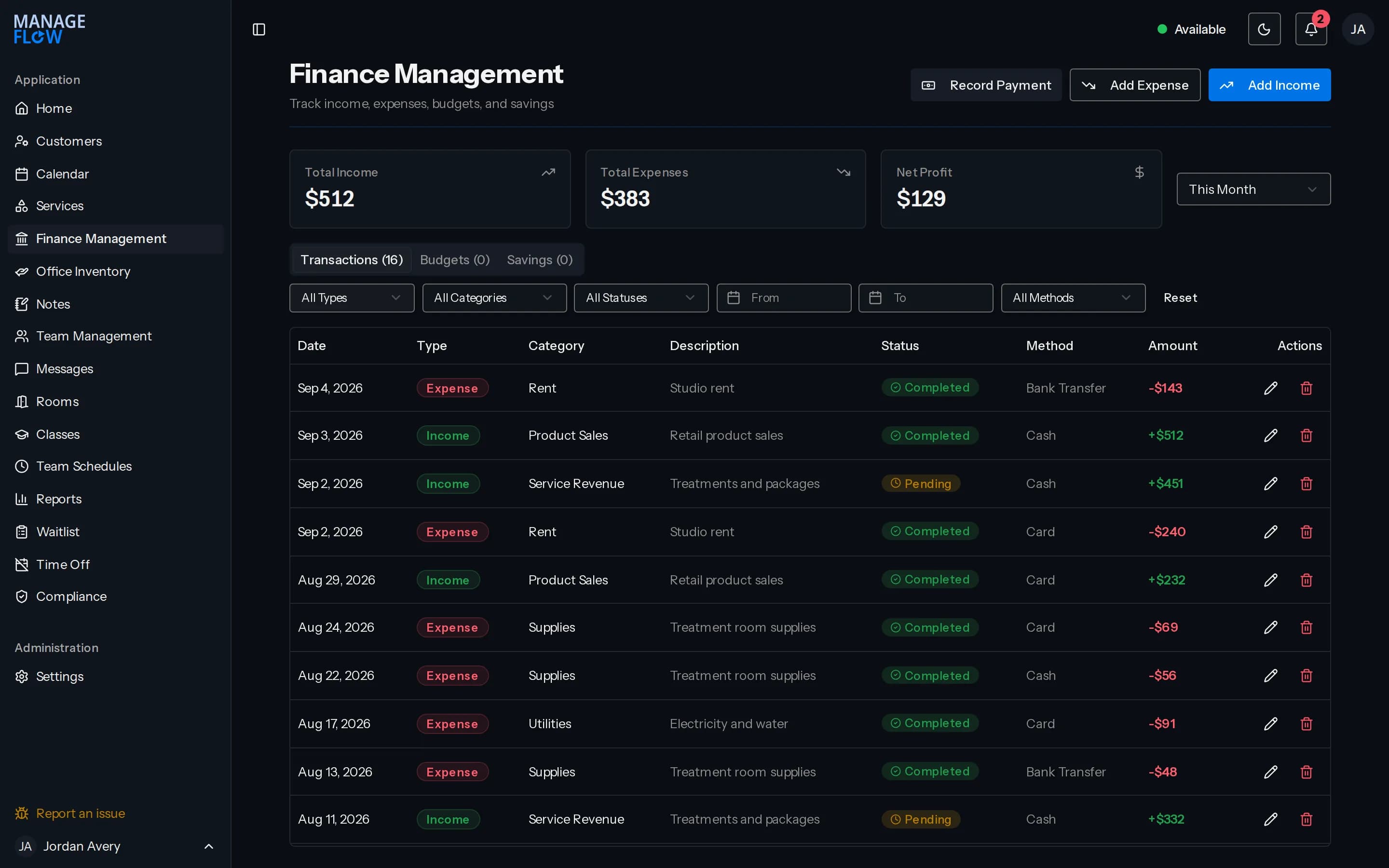
Finance
Money in and money out
Income, expenses and net profit for the period you choose, over a transaction list you can filter by type, category, status, method and date.
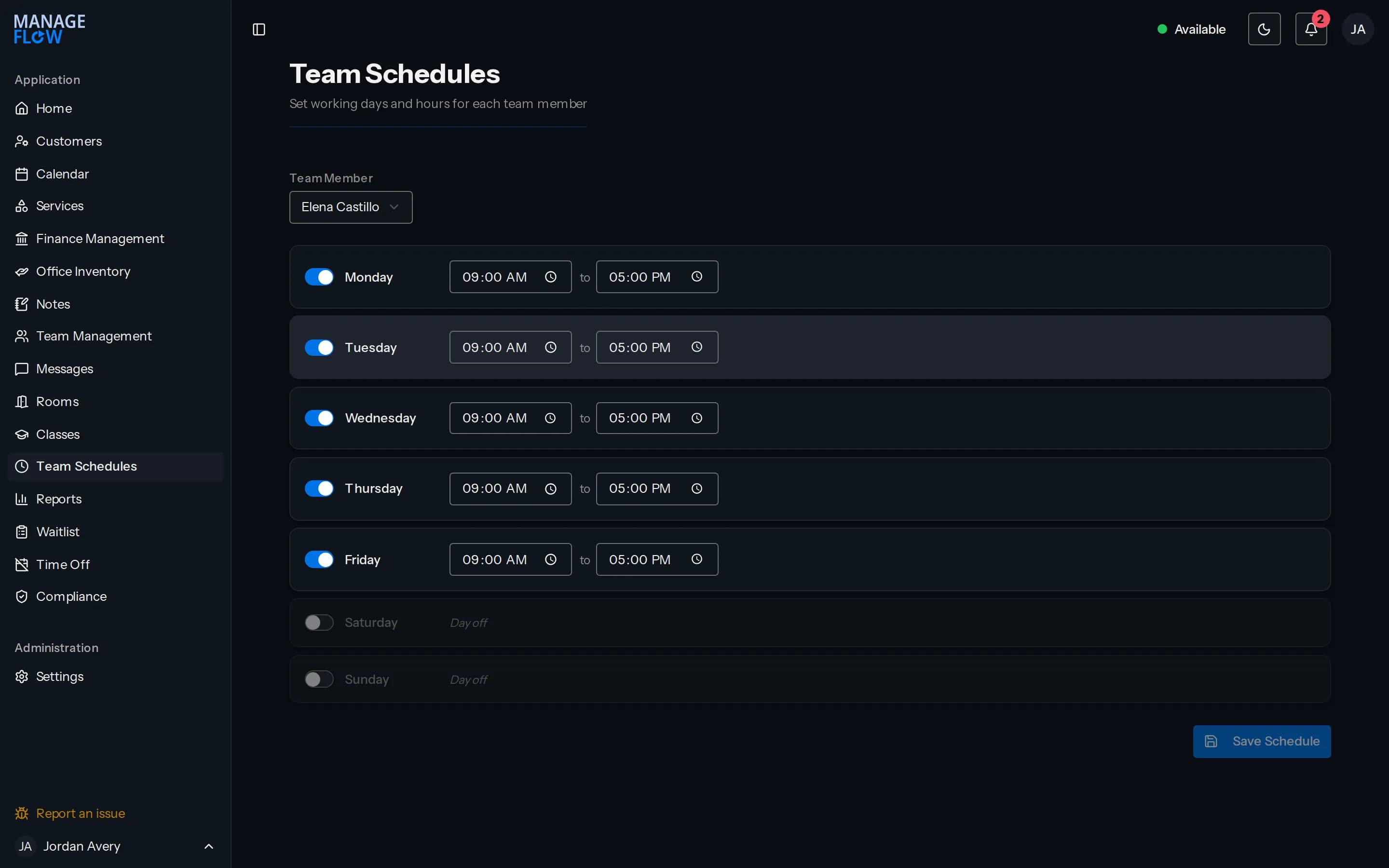
Team schedules
Who works when, set once
Working days and hours per person. The calendar and the booking form read the same schedule, so neither offers a slot nobody is there to cover.
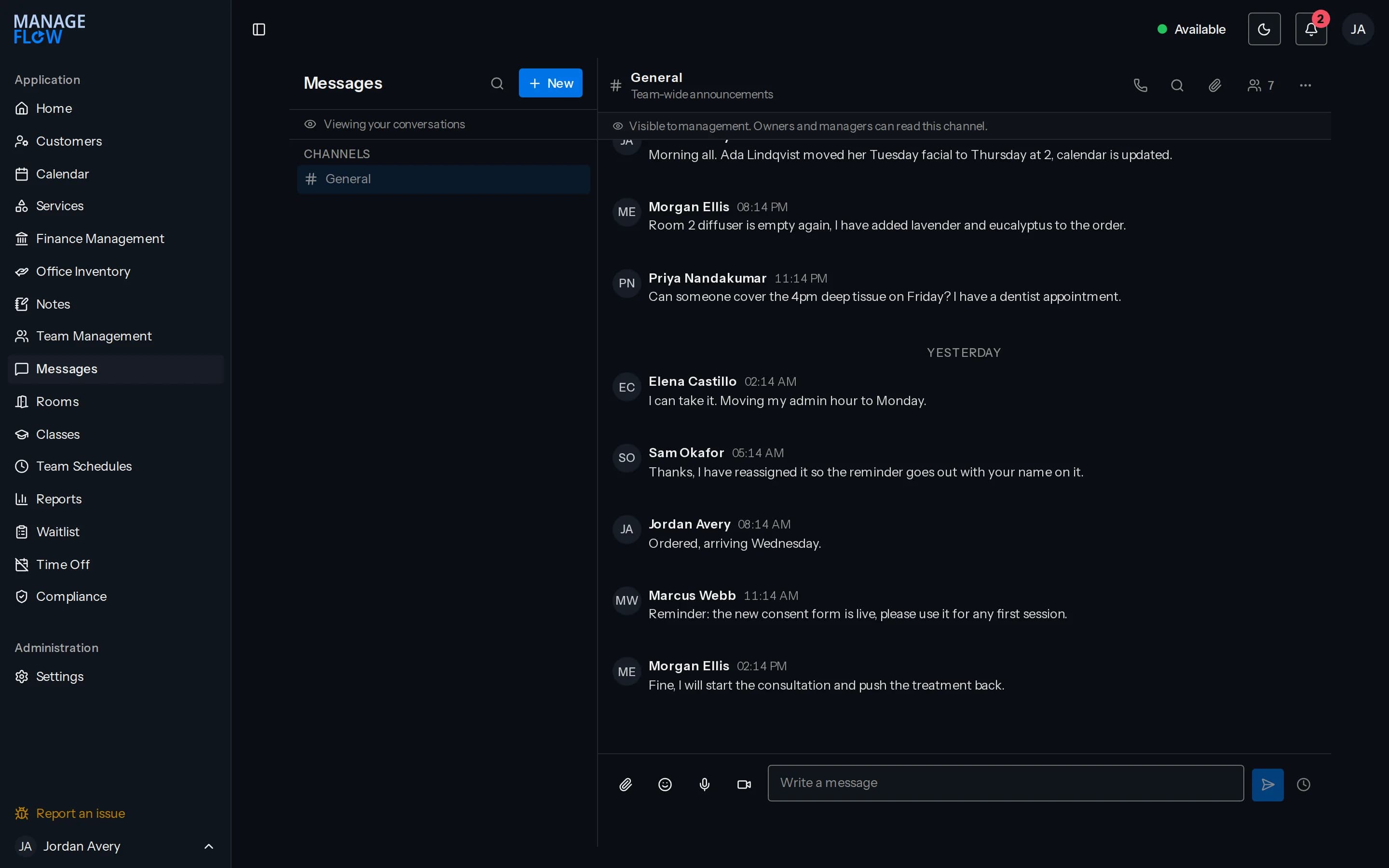
Messages
The conversation stays in the workspace
Channels for the team and direct messages between colleagues, next to the records they are about, instead of on somebody’s personal phone.
Plans
Plans
Three shapes of the same product. Which one fits depends on how many people use it and how many locations it covers, so the price comes from a conversation rather than from this page.
Starter
A single location with a small team, finding its feet.
Talk to salesIncludes
- Appointment calendar
- Client records and visit history
- Service catalogue
- Staff profiles and working hours
- Internal notes
- Appointment reminders by email
Growth
A busy location with a full team, packages to sell and stock to watch.
Talk to salesIncludes
- Everything in Starter
- Multi session packages and add-ons
- Invoicing and payment records
- Stock tracking and suppliers
- Waitlist
- Team chat, voice and video
- Reports and exports
Enterprise
Several locations under one owner, reported on together.
Talk to salesIncludes
- Everything in Growth
- Several locations
- Custom roles and permissions
- Client data export and erasure tools
- Guided setup and data import
- A named contact for your account
Questions
Questions we get asked first.
- Who owns the data in our workspace?
- You do. Your client records, appointments and financial history belong to your business, and you can export them at any time. We use them to run your workspace and for nothing else.
- How long does setup take?
- Most single location businesses are working in the system within a week of the first call. Several locations, or importing years of history, takes longer, and we will tell you which of those you are before you commit to anything.
- What languages is it available in?
- English and French. Each person on your team chooses their own, so a bilingual team is not forced onto one language, and email sent from the system follows the same choice.
- Can our clients log in?
- No. ManageFlow is a workspace for your team. Clients are records inside it rather than users of it, so nobody outside your business has an account.
- Why are there no prices on the site?
- Because what a workspace costs depends on how many people use it and how many locations it covers. We would rather quote you honestly once we know that than publish a number that does not apply to you.
- What happens if we want to stop?
- You give notice, we export everything in your workspace to open formats you can read without us, and the account is closed. There is no penalty for leaving and no minimum term you have not agreed to in writing.
- How is our data protected?
- Access is granted per person and per role, so a receptionist and an owner do not see the same thing. Changes to client records are logged, and the log records which field changed rather than keeping a second copy of the details.
Tell us how you work.
Send us a few lines about your business and we will show you the parts of ManageFlow that matter to you, rather than all of it.
Or write to us directly at contact@layconnect.com